A virtual phone (cloud phone) is a remote Android device that runs in the provider’s data center, and you connect to it through a browser or app. Unlike regular emulators (Bluestacks, MEmu), a cloud phone does not put a load on your PC — everything runs on the provider’s servers. This provides several key advantages: the device can be tied to the required geolocation to pass anti-fraud checks, it scales easily (dozens or hundreds of devices, online 24/7, team access), and the ARM environment offered by some providers makes it possible to emulate real mobile hardware — which reduces the chances of detection.
Unlike anti-detect browsers, cloud phones are designed specifically for mobile use cases: running native apps, push notifications, messengers, mobile advertising, analytics, geo-services, and trackers. The optimal setup is proxies + a cloud phone, with an anti-detect browser used alongside it for the web side.
- Who needs a cloud phone
- How to Choose a Cloud Phone in 2026
- Top 5 Virtual Phone Services
- 1. GeeLark — the best antidetect cloud phone for SMM and TikTok
- 2. DuoPlus — a cloud phone for arbitrage and mobile advertising
- 3. VMOS Cloud — flexible rental of virtual Android devices
- 4. LDCloud — a cloud phone for gaming and 24/7 AFK farming
- 5. Nox Cloud Phone — a cloud emulator for large-scale work
- Comparison table: rates, functions, and features
- Practical tips for choosing
- Common mistakes when working with virtual phones
- Recommendations for tasks: which cloud phone to choose
- Conclusion
- FAQ — frequently asked questions
Who needs a cloud phone
For traffic arbitrage specialists — mobile offers, creative testing, traffic sources for TikTok Ads, Facebook Ads, Google Ads, Apple Search Ads. Each account on a separate virtual device — lower ban risks.
For SMM specialists and messenger teams — managing multiple accounts in Telegram, WhatsApp, Viber, Instagram, and TikTok. Automation of posting, account warm-up, and content workflows.
For developers and QA engineers — testing mobile applications across different Android versions, geographies, and networks without a farm of physical devices.
E-commerce and affiliate programs — mobile storefront auditing, cross-border commerce, marketplace store management, retargeting, and event debugging.
For streamers and content creators — simultaneous management of multiple accounts, live streams from cloud devices, AI-powered content generation.
How to Choose a Cloud Phone in 2026
When choosing a cloud phone in 2026, it is worth paying attention to several key parameters.
Environment type — ARM or emulator. Services running on real ARM hardware appear to anti-fraud systems as genuine smartphones. Emulator-based solutions (x86) can be detected by certain platforms. For arbitrage and SMM, ARM is preferable.
Performance and stability. CPU, RAM, storage capacity — these determine whether the device can handle demanding apps, video, and streams. Uptime, the absence of “freezes,” and forced restarts are important.
Geolocation and network. Where the servers are located, how easy it is to select the required country/city, whether there is built-in proxy integration (HTTP, SOCKS5), and support for SIM simulation and GPS spoofing.
Scaling and automation. Multi-instance support, device clones/templates, a synchronizer (action mirroring), RPA automation, an API for integration with external tools, bulk actions.
Anti-detect features. Randomization of IMEI, MAC address, Android ID, and device fingerprints. Profile isolation to prevent account linking.
Teamwork. Roles and access permissions, action logs, collaborative work with profiles, and the ability to transfer devices between team members.
Pricing. Per-minute/per-day/per-month rental, daily caps, the cost of high-performance configurations. The real TCO (Total Cost of Ownership) often differs from the advertised “from…” price.
Top 5 Virtual Phone Services
1. GeeLark — the best antidetect cloud phone for SMM and TikTok
Website: geelark.com
Who it’s for: SMM specialists, content creators, agencies, media buyers, affiliate marketers, e-commerce teams.
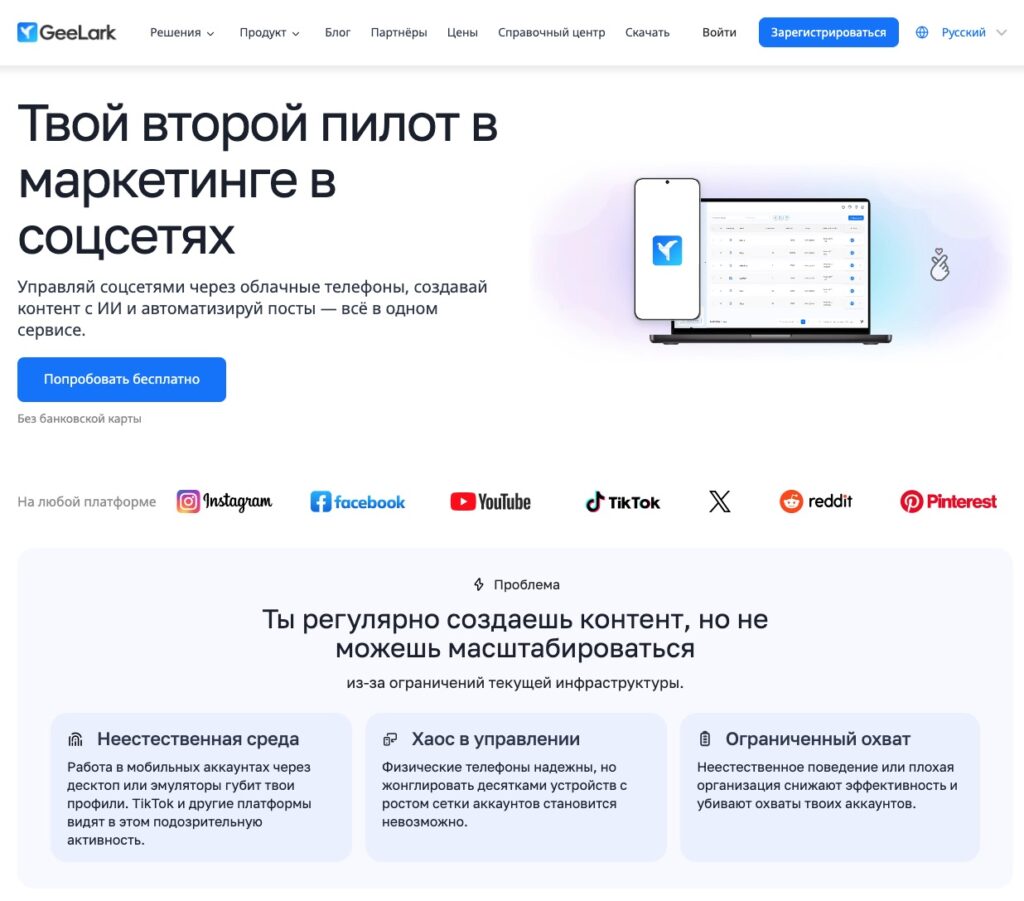
GeeLark is the first anti-detect phone on the market, combining cloud-based Android devices running on real ARM chips with full anti-detect technology. Each cloud phone receives a unique device fingerprint: randomized IMEI, MAC address, Android ID, as well as support for GPS and SIM data simulation in 150+ countries. For platforms like TikTok, Instagram, or Facebook, each profile appears as a separate real smartphone.
The key feature of GeeLark is its “all-in-one” approach: cloud phones + an anti-detect browser + AI tools for content creation + RPA automation. The synchronizer lets you mirror actions from one device to dozens of others simultaneously. Built-in templates for auto-posting, account warm-up, likes, and comments — all of this works right out of the box. The AI modules are integrated with Sora and other generators, making it possible to turn images into videos and create content at scale.
The platform supports Windows, macOS, and Linux, and the app is available for both desktop and mobile devices. The API allows you to integrate GeeLark with your own tools and scripts.
Pricing: Free plan (2 profiles, 30 bonus minutes), Base from $5/month (5–1000 profiles, 60+ minutes), Pro from $19/month (synchronizer, advanced automation, bulk profile creation). Using cloud phone — $0.007/min with a daily cap of $1.2, or monthly device rental at $29.9/month.
Pros: real ARM devices with unique fingerprints, powerful anti-detect technology, built-in AI and RPA tools, synchronizer, team collaboration, API, free plan available.
Cons: mobile-focused — there is no full-featured web account management (this requires a separate antidetect browser), proxies must be connected separately, under high workloads the cost can rise quickly, and parts of the documentation are not fully up to date.
2. DuoPlus — a cloud phone for arbitrage and mobile advertising
Website: duoplus.net
Who it’s for: traffic arbitrage, SMM, mobile advertising, cross-border e-commerce, TikTok marketing.
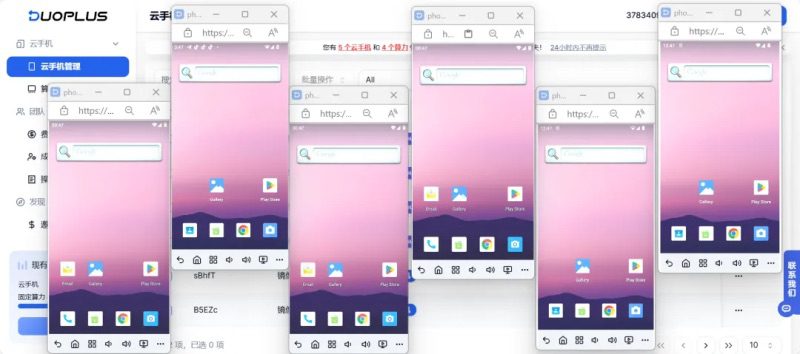
DuoPlus is a cloud phone from the team behind AdsPower, one of the leading anti-detect browsers. The service creates an ARM environment that is as close as possible to a real mobile device, which reduces the likelihood of detection by anti-fraud systems. The platform is designed for scaling: rapid deployment of multiple virtual phones, convenient device templates, and built-in RPA automation for routine tasks.
DuoPlus supports a multilingual interface (English, Chinese, Russian, Portuguese, Vietnamese), making it convenient for international teams. The platform works with major social networks and messengers: Facebook, Instagram, TikTok, YouTube, X (Twitter), Telegram, WhatsApp, Zalo, Tinder.
Billing is flexible: there is both per-minute billing and fixed subscriptions. The rates are transparent and published in US dollars on the website — this compares DuoPlus favorably with a number of competitors.
Pricing: from $0.15 for 30 minutes (pay-per-use), the Startup subscription — $16.9/month for a dedicated device. There is an option to scale up to hundreds of devices.
Pros: ARM environment, fast deployment, transparent pricing, multilingual interface, RPA automation, flexible billing, AdsPower team experience.
Cons: performance depends on proximity to data centers, some geos will require an external proxy, during peak hours it is worth allowing extra capacity, and the issue of the authenticity of hardware identifiers is not fully documented.
3. VMOS Cloud — flexible rental of virtual Android devices
Website: vmoscloud.com
Who it’s for: mass-use scenarios (many devices 24/7), long sessions, cross-border e-commerce, SMM, test automation.
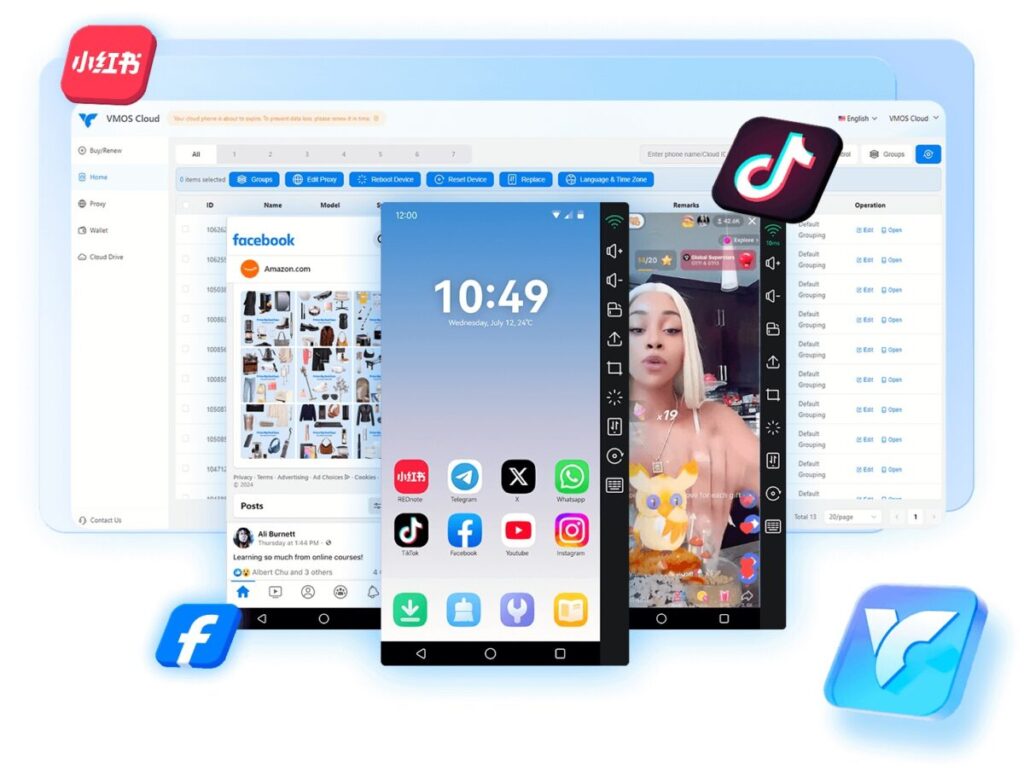
VMOS Cloud is one of the oldest cloud phone platforms on the market, having reached the global level at the end of 2024. The service is positioned as an AI cloud phone for multi-accounting on social media, business operations, automated testing, and gaming. VMOS Cloud offers various device profiles (by Android version, performance, and storage capacity), making it possible to choose a configuration for a specific task.
The platform supports batch device management, automation of routine actions, and proxy support. Flexible per-minute and daily pricing lets you avoid overpaying if the device is not used continuously.
Rates: per-minute rental, approximately $1/day for a standard device. Various performance configurations are available.
Pros: extensive market experience, a flexible range of devices and pricing plans, support for different Android versions, batch management, suitable for large-scale use cases.
Cons: there are reviews mentioning delays (lag) when far from the servers, support is mixed, and it is worth testing different data centers before scaling.
4. LDCloud — a cloud phone for gaming and 24/7 AFK farming
Website ldcloud.net
Who it’s for: mobile gamers (AFK farming, leveling, rerolling), streamers, and anyone who needs virtual devices for long background tasks and multi-accounting.
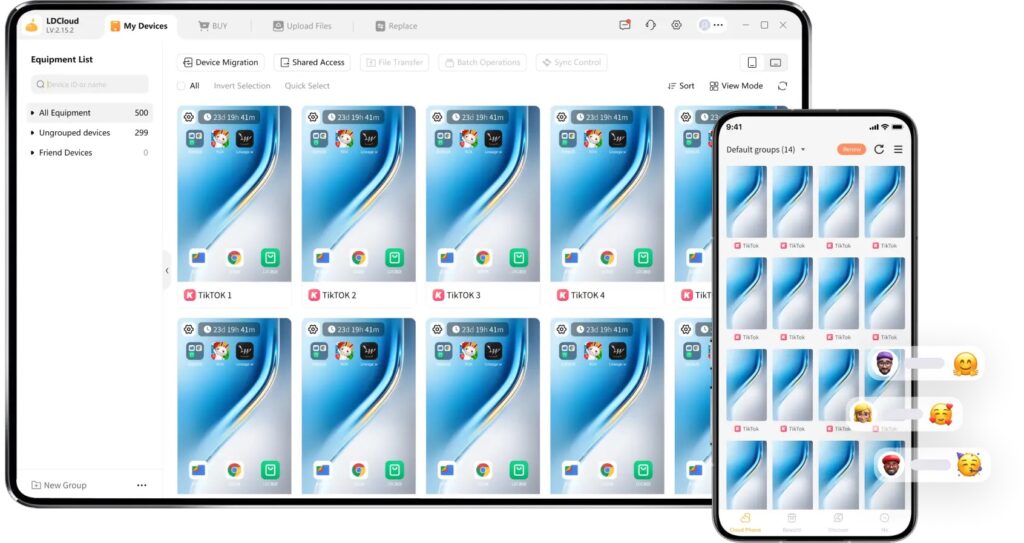
LDCloud is a cloud phone from the team behind LDPlayer, one of the most popular Android emulators in the world. The platform is designed for 24/7 operation in the cloud: the device keeps running even if you close the app. It is an ideal option for AFK grinding, automatic resource farming, and managing multiple gaming accounts in parallel.
LDCloud supports multi-instance use (an unlimited number of devices on one account), synchronous operation (mirroring actions across multiple devices simultaneously), ROOT access on request, IP proxy binding, and cross-platform access (Windows, Android, iOS, macOS, web browser).
The pricing lineup includes several performance tiers: VIP (basic), KVIP (mid-level), XVIP (top-tier — 8 GB RAM, 128 GB storage, Android 10). There are special promo packages and bonuses for new users.
Pricing: from ~$12/month for a VIP device, XVIP — from $25/month. There are promotional offers ($24.99 for 60 days), and a free trial for new users.
Pros: 24/7 operation without load on the PC, unlimited multi-instance support, synchronization, ROOT, cross-platform access, flexible pricing plans, the experience of the LDPlayer team.
Cons: the main focus is on gaming, making it less suitable for more “serious” anti-fraud scenarios (arbitrage, SMM); the authenticity of hardware fingerprints is not documented; when the rental period expires, the profile is deleted (data is not retained); there are occasional complaints about stability during periods of high load.
5. Nox Cloud Phone — a cloud emulator for large-scale work
Website: bignox.com
Who it’s for: users of the Nox ecosystem who need to move their familiar emulator to the cloud, handle accounts at scale, and beginner arbitrage specialists.
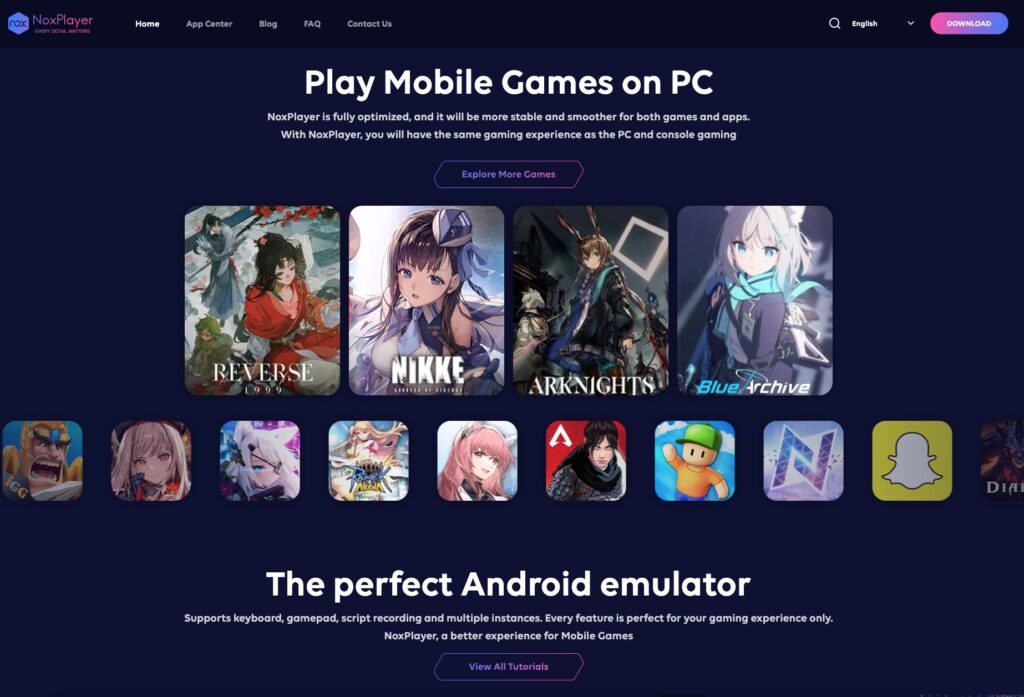
NoxCloud is the cloud-based version of one of the most well-known Android emulators, NoxPlayer. Its main advantage is a familiar interface for users who have already worked with Nox on desktop. Moving the familiar emulator to the cloud eliminates the load on a local PC and makes it possible to run multiple instances in parallel without hardware resource limitations.
NoxCloud supports large-scale device operations, multi-instance mode, and geo and proxy configuration. It is convenient for the initial stage of working with cloud phones if you want to try this format without a sharp transition to a new ecosystem.
Pricing: monthly subscriptions; specific prices depend on the configuration and region.
Pros: familiar NoxPlayer interface, convenient bulk work, multi-instance support, good app compatibility, no load on the PC.
Cons: this is a cloud-based x86 emulator, not an ARM device — the emulator signature may be detected by the anti-fraud systems of some platforms (TikTok, Facebook, etc.); for stricter anti-fraud use cases, it is better to consider ARM solutions.
Comparison table: rates, functions, and features
| Parameter | GeeLark | DuoPlus | VMOS Cloud | LDCloud | Nox Cloud |
|---|---|---|---|---|---|
| Environment type | ARM (real chips) | ARM | Cloud Android | Cloud Android | Emulator (x86) |
| Antidetect | Built-in (IMEI, MAC, fingerprint) | Partial (ARM environment) | Basic | No | No |
| RPA / Automation | Built-in + templates | Built-in RPA | Yes | Synchronization | Multi-instance |
| AI tools | Yes (Sora, content generation) | No | No | No | No |
| Synchronizer | Yes (Pro) | No | No | Yes | No |
| API | Yes | No | No | No | No |
| Teamwork | Roles, permissions, logs | Yes | Basic | No | No |
| Free plan | Yes (2 profiles, 30 min) | No | No | Trial | No |
| Starting price | $5/month + $0.007/min | $0.15/30 min or $16.9/month | ~$1/day | ~$12/month | Monthly subscription |
| Best for | SMM, TikTok, arbitrage | Arbitrage, mobile advertising | Large-scale scenarios | Gaming, AFK 24/7 | A familiar emulator in the cloud |
Practical tips for choosing
Define the use case. “Managing 50 TikTok accounts,” “24/7 AFK farming in an RPG,” “QA testing on Android 11–14 with US/DE geolocation” — the choice of tool depends on the task. For SMM and arbitrage, an antidetect solution is essential (GeeLark, DuoPlus); for gaming, stability and 24/7 uptime matter most (LDCloud).
Run a mini pilot. Take 2–3 candidates and put them through the same checklist: app installation, account login, 2–3 hours of warm-up, resource usage measurement (CPU/RAM), behavior during video playback and streams, account stability.
Check the network and proxy. Pings to servers, proxy integration (HTTP, SOCKS5, mobile), and what anti-fraud checkers (pixelscan, browserleaks) show from your virtual device.
Evaluate automation. Bulk actions, templates, API, RPA — this saves hours when scaling. GeeLark leads in the range of automation tools.
Calculate the real TCO. Not just the “starting price,” but how much it will actually cost to run N devices for M hours per day. Factor in proxies, the plan subscription, minute consumption, and the cost of high-performance configurations.
Common mistakes when working with virtual phones
Chasing the lowest price. A cheap device that freezes or gets flagged by anti-fraud systems means lost accounts, wasted time, and money spent on reinstallation.
Ignore geolocation. Even the best service will lag if the server is far from the target audience or traffic source. Check the available data centers.
Do not ignore resource requirements. Video, streams, and heavy applications require more powerful configurations. Cutting costs on RAM and CPU will result in freezes and crashes.
Overestimating a cloud emulator. For the anti-fraud systems of TikTok, Meta, and Google, the environment type matters. An emulator signature (x86) can lead to a ban, while an ARM device passes checks unnoticed.
Do not test before scaling. Launching 50+ devices on an unfamiliar platform is risky. Always start with a pilot on 2–5 devices.
Recommendations for tasks: which cloud phone to choose
Traffic arbitrage and mobile advertising: GeeLark or DuoPlus + mobile proxies + an anti-detect browser for the web part. An ARM environment is essential for passing the anti-fraud checks of Facebook, TikTok, and Google Ads.
TikTok / Instagram / SMM: GeeLark is the first choice thanks to its built-in AI tools, RPA templates, and synchronizer. DuoPlus is a good option if you need a simpler tool focused on scale.
Telegram / WhatsApp / messengers: DuoPlus or VMOS Cloud. For long sessions and stable 24/7 online presence — VMOS Cloud.
Mobile gaming and AFK farming: LDCloud is optimized for gaming, stays online 24/7, offers ROOT access, and supports synchronization of multiple accounts.
Budget-friendly start / introduction to cloud phones: Nox Cloud offers a familiar interface and a low barrier to entry. But for anti-fraud tasks, it is best to look at ARM solutions right away.
Development and QA: VMOS Cloud or Nox Cloud — different Android versions, flexible configurations, no anti-detect required.
Conclusion
In 2026, the cloud phone market has become mature and diverse. There is no universal “best” service — it all depends on specific tasks, traffic sources, geo, and workload.
If your work involves social media, multi-accounting, and anti-detect tools, GeeLark offers the most comprehensive set of tools. For arbitrage and mobile advertising with a focus on scale, DuoPlus. For large-scale scenarios with long sessions, VMOS Cloud. For gaming and 24/7 AFK farming, LDCloud. For a smooth transition from the world of desktop emulators, Nox Cloud.
Start with a pilot on 2–3 services, assess stability, the network, and the real TCO — and only then scale your device fleet.
FAQ — frequently asked questions
What is a cloud phone? It is a virtual Android device that runs on a remote server in a data center. You connect to it through a browser or app and use it like a regular smartphone — install apps, work with messengers, run ads — but the device is physically located in the cloud.
How is a cloud phone different from an emulator? An emulator (Bluestacks, Nox, MEmu) runs on your PC and uses its resources. A cloud phone runs on the provider’s server. In addition, cloud phones on ARM chips simulate real mobile hardware, whereas classic emulators run on x86 architecture and are more easily detected by anti-fraud systems.
How is a cloud phone different from an anti-detect browser? An anti-detect browser operates in a web environment (Chrome/Firefox) and spoofs browser fingerprints. A cloud phone is a full-fledged Android mobile environment that lets you run native mobile apps. For full-scale multi-accounting, both tools are often used in parallel.
Which cloud phone is better for TikTok? GeeLark is the leader for TikTok operations. ARM devices with unique fingerprints, built-in AI tools for content, and RPA templates designed specifically for TikTok workflows. DuoPlus is a good alternative focused on scaling.
How much does a cloud phone cost? It depends on the service and the use case. The range goes from free plans (GeeLark Free) and ~$1/day (VMOS Cloud) to $17–30/month for a dedicated device (DuoPlus, LDCloud). The actual cost consists of the subscription + minute usage + proxy costs.
Can you use a cloud phone for free? GeeLark offers a free plan (2 profiles, 30 minutes). LDCloud provides a free trial for new users. For full use, a paid subscription is required.
Do you need a proxy to work with a cloud phone? In most cases, yes. A proxy lets you tie the virtual device to the required geolocation and hide the data center IP. Mobile or residential proxies are recommended.