A cryptocurrency wallet is a tool for storing, sending, and receiving digital currencies. Today there are many types of wallets: some store your assets on their servers (custodial), while others give you full control (non-custodial). Wallets can be “hot” (hot) – constantly connected to the internet, or “cold” (cold) – offline devices for maximum protection. For beginners, it is important to choose a solution that combines convenience and security, while active traders need a wallet that supports the features they require (for example, DeFi or staking). Below, we will look at ten leading crypto wallets – their features, pros and cons, security level, and user reviews – and find out which tasks each one is best suited for.
- Comparative wallet table
- MetaMask – a Web3 wallet for Ethereum and beyond
- Trust Wallet – multi-chain mobile wallet
- Coinbase Wallet – a wallet from the well-known exchange for Web3
- Cake Wallet – an open-source wallet with a focus on privacy (Monero)
- Exodus — a convenient multi-wallet with support for 300+ cryptocurrencies
- Guarda – a multi-platform wallet with staking features
- Binance (exchange wallet) is the most popular custodial option
- Ledger – a leading hardware wallet for cold storage
- Trezor – the first hardware wallet (open-source security)
- Crypto.com DeFi Wallet – non-custodial wallet from Crypto․com
- Results and recommendations: which cryptocurrency wallet should you choose?
Comparative wallet table
| Wallet | Type | Platforms | Security | Token support | Ease of use |
|---|---|---|---|---|---|
| MetaMask | Non-custodial, hot | Chrome, Firefox, Android, iOS | User holds keys, Ledger/Trezor support | Ethereum, EVM networks | ⭐⭐⭐⭐☆ |
| Trust Wallet | Non-custodial, hot | Android, iOS, Chrome | Open source, 2022 vulnerability (fixed) | 60+ blockchains, >1M tokens | ⭐⭐⭐⭐⭐ |
| Coinbase Wallet | Non-custodial, hot | Android, iOS, Chrome | Keys on device, linked to the exchange | BTC, ETH, SOL, ERC-20 and more | ⭐⭐⭐⭐⭐ |
| Cake Wallet | Non-custodial, hot | Android, iOS, Windows, macOS, Linux | TOR, open-source, Ledger | Monero, BTC, LTC, ETH | ⭐⭐⭐⭐☆ |
| Exodus | Non-custodial, hot | Windows, macOS, Linux, Android, iOS | Local encryption, Trezor support | 300+ coins | ⭐⭐⭐⭐⭐ |
| Guarda | Non-custodial, hot | Web, Windows, macOS, Linux, Android, iOS | Local keys, encrypted backup | 50+ networks, ~400k tokens | ⭐⭐⭐⭐☆ |
| Binance | Custodial | Web, Android, iOS, PC | 2FA, SAFU, 2019 hack | 350+ coins | ⭐⭐⭐⭐⭐ |
| Ledger Nano X | Hardware, cold | Device + Ledger Live | Secure Element, offline signing | 100+ networks, 5,000+ tokens | ⭐⭐⭐⭐☆ |
| Trezor Model T | Hardware, cold | Device + Trezor Suite | Open source, passphrase, 2022 phishing | 1,000+ tokens | ⭐⭐⭐⭐☆ |
| Crypto.com DeFi Wallet | Non-custodial, hot | Android, iOS, Chrome | Local keys, DApp firewall | BTC, ETH, CRO, DeFi, NFT | ⭐⭐⭐⭐☆ |
MetaMask – a Web3 wallet for Ethereum and beyond
MetaMask – one of the most well-known non-custodial wallets, originally created for the Ethereum network. It is available as a browser extension (Chrome, Firefox, Brave, etc.) and as a mobile app. MetaMask stores your private keys locally, giving you full ownership of your assets. The wallet supports not only Ethereum, but also other compatible networks (BNB Chain, Polygon, Avalanche, and dozens of others) – you just need to switch networks manually. This makes MetaMask a universal “pass” into the world of DeFi, DApps, and NFT across different blockchains.
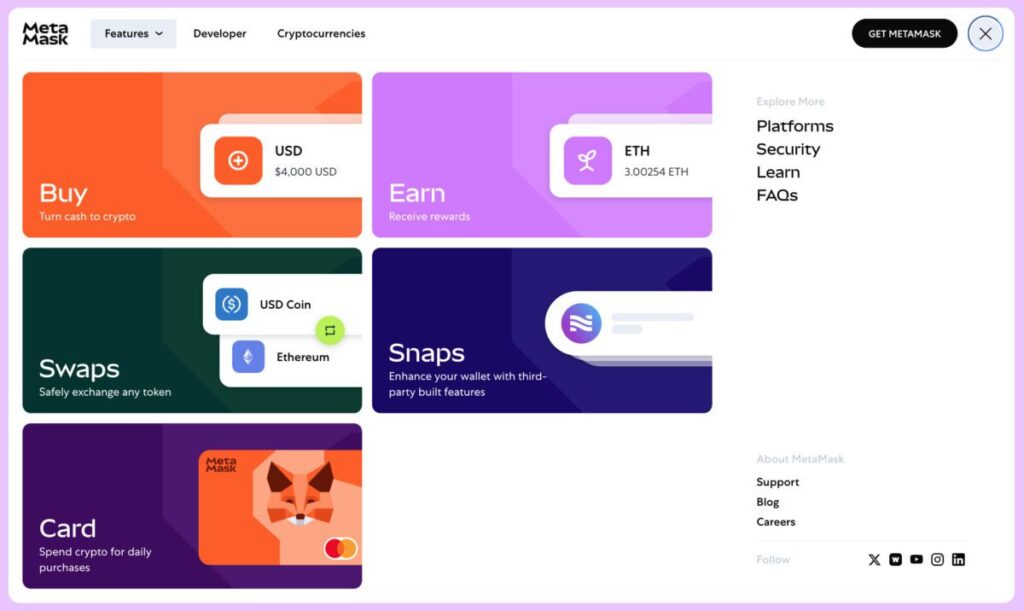
Pros: MetaMask is easy to install and use: setting up a wallet takes just a couple of minutes, after which you can interact with hundreds of decentralized applications. The wallet automatically detects ERC-20 tokens and similar standards when you receive them at your address. It is widely integrated — many websites have a “Connect Wallet” button specifically for MetaMask. It also supports connecting Ledger and Trezor hardware wallets for enhanced key storage security.
Cons: MetaMask focuses mainly on the Ethereum ecosystem and EVM-compatible chains. Bitcoin and other native (non-EVM) networks are not supported directly (they have to be kept in separate wallets). In addition, MetaMask’s popularity has made it a target for phishing attacks: users often run into fake support websites and extensions. Remember that MetaMask recovery phrases or private keys must never be entered on third-party websites — otherwise you risk losing your funds. Another feature is the absence of conventional 2FA: there is only a password and a seed phrase, so storing that phrase securely is critical.
Security: MetaMask itself has not been hacked — no vulnerabilities have been found that would allow funds to be stolen remotely. The wallet’s code is open source and regularly audited. The main risks are on the user side: phishing, malicious browser extensions, or viruses on a PC can steal the seed if security measures are neglected. In 2022, MetaMask’s privacy was discussed: Infura, the service used by default to connect to Ethereum, began collecting IP and wallet data, which drew criticism. The developers updated the privacy policy and added the option to switch RPC services. Overall, when used properly, MetaMask is a secure wallet for transactions, but it requires user vigilance.
Reputation: MetaMask – the de facto standard for Web3. The wallet has more than 30 million active users worldwide. The community values it for its flexibility and abundance of integrations. Reviews note that MetaMask is “indispensable for DeFi and NFT,” although beginners sometimes get confused by network settings and fees. For newcomers, MetaMask may seem a little complex (you need to understand the concept of gas fee and how different networks work), but there are plenty of learning materials. In the end, most agree that MetaMask is the best choice for those who actively use Ethereum services, launch NFTs, and need a reliable wallet for interacting with blockchain applications.
Trust Wallet – multi-chain mobile wallet
Trust Wallet is a non-custodial mobile wallet with the broadest support for different blockchains. It was launched in 2017 by developer Viktor Radchenko and acquired by Binance in 2018. Today, Trust Wallet is the official wallet of the Binance ecosystem, yet it remains fully decentralized: users control their own keys, while the app only provides the interface. Trust Wallet is available on smartphones (Android, iOS) and as a browser extension. The wallet supports more than 60 blockchains and millions of tokens — from Bitcoin and Ether to niche BEP-20 tokens and NFTs. It is one of the most versatile wallets on the market.
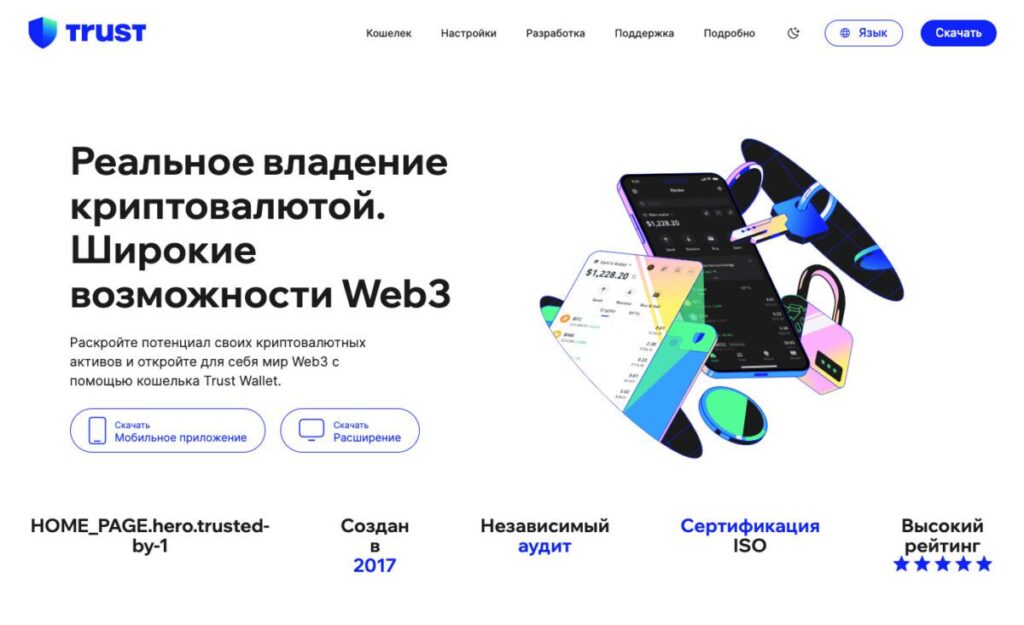
Advantages: First, it supports a very wide range of currencies — Trust Wallet lets you store everything in one place, which is convenient. Second, the wallet has a built-in DApp browser and exchange: you can connect to DeFi protocols (UniSwap, PancakeSwap, etc.) directly from the app or instantly swap one coin for another thanks to the integrated service. The interface is simple and intuitive, and it is recommended for beginners — setting up and creating a wallet takes just a couple of minutes. Trust Wallet is open-source: the source code is open, which increases community trust. There are also some nice extras: support for staking popular coins (for example, you can delegate BNB, ATOM, SOL and earn interest), as well as its own token TWT for participating in votes and receiving discounts.
Drawbacks: The wallet is designed for mobile use — there is no full desktop app (only a browser extension with limited functionality). For some, another downside is its connection to Binance: although the wallet is non-custodial, it is backed by a major centralized exchange. However, this has no direct impact other than built-in promotion of Binance services. In terms of security, Trust Wallet is generally reliable, but there was an unpleasant incident in its history: in November 2022, a vulnerability in address generation was discovered in the browser extension (insufficient entropy). The team quickly released a fix, but attackers managed to withdraw about $170k from some wallets. Less than 0.01% of users were affected, and Trust Wallet compensated the losses. This case highlighted the importance of updating apps to the latest versions. Users also note that there is no two-factor authentication — login is only via PIN/password, and recovery is through the seed phrase. Therefore, wallet protection (password, seed storage) must be ensured by the user.
Security and reviews: Thanks to its open-source code and Binance support, Trust Wallet has one of the strongest reputations. Tens of millions of people use it. Beginners often start with it because it is “as easy as it gets”: there is no need to figure out different wallets for each coin. Reviews highlight its convenience: “I keep all my coins in Trust, never had any problems.” At the same time, experts remind users that no matter how reliable a wallet is, never share your seed phrase. In 2023, phishing incidents became more frequent, when scammers in Telegram and Discord posed as Trust Wallet support and tricked inexperienced users into revealing secret phrases. Otherwise, the community rates Trust Wallet very positively. It is the best choice for those who need a mobile multi-currency wallet: both Bitcoin and Ether, as well as Binance Smart Chain tokens, are all managed in one app without unnecessary complexity.
Coinbase Wallet – a wallet from the well-known exchange for Web3
Coinbase Wallet is a non-custodial wallet created by the Coinbase team (one of the largest crypto exchanges). It is important not to confuse it with the main Coinbase Exchange app: Coinbase Wallet is a separate app for storing cryptocurrencies off the exchange. Here you control the private keys, unlike an account on Coinbase Exchange (custodial). The wallet is available on smartphones and as a browser extension. It supports major blockchains (Bitcoin, Ethereum, BNB Chain, Solana, Polygon, etc.), as well as NFTs. In essence, Coinbase Wallet is similar to Trust Wallet or MetaMask in terms of functionality, but with Coinbase’s signature convenience.
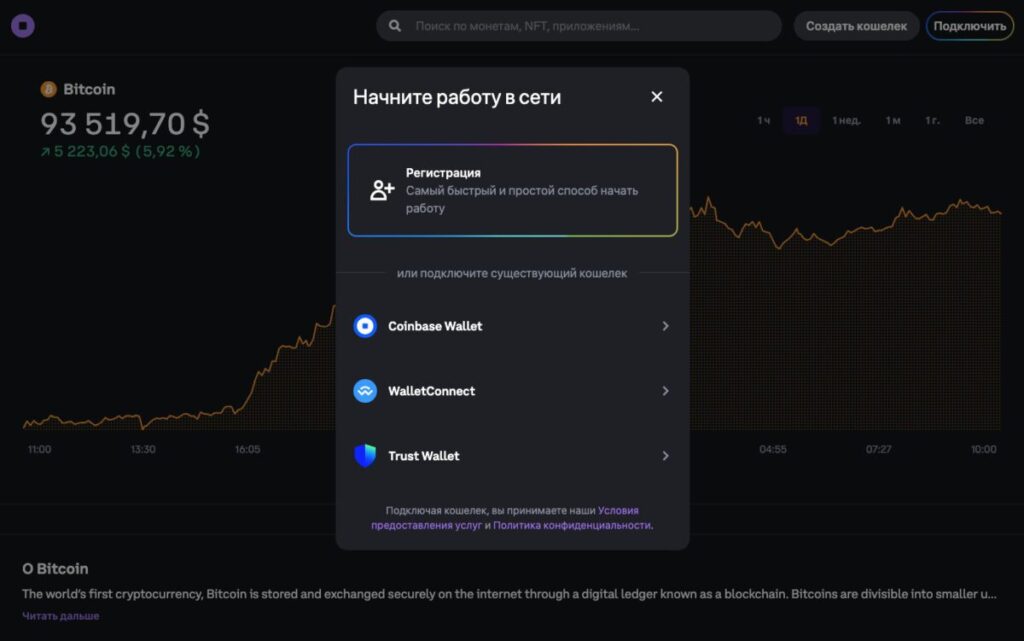
Pros: The main advantage is ease of use for beginners and integration with the exchange. Coinbase Wallet is a logical choice for those who started on Coinbase Exchange. It’s convenient that you can buy crypto on Coinbase (with a bank card or account) and transfer it to your non-custodial wallet with a single tap. The wallet interface is intuitive, and the Coinbase name inspires trust among many beginners. The app also connects automatically to decentralized applications: it has a built-in dApp browser and supports the same protocols as MetaMask (Uniswap, OpenSea, and others). For security, you can enable cloud backup (encrypted storage of the seed phrase in iCloud/Google Drive) — a controversial but for some useful option in case the device is lost.
Cons: Since Coinbase Wallet is designed for the mass market, it has slightly fewer “settings” and supported networks than Trust Wallet. For example, Coinbase Wallet does not support some niche blockchains. When sending coins, fees must be paid in the currency used by the network (as with other wallets) — some beginners get confused about why they cannot withdraw an ERC-20 token until they buy a little ETH for gas. There are reviews in which inexperienced users call Coinbase Wallet “scammy” because they were unable to withdraw tokens — usually it turns out that the issue was high network fees or selecting the wrong withdrawal network. Such situations are not the wallet’s fault, but they do point to an educational gap. In addition, Coinbase insurance does not apply to this wallet, and there is no exchange support service as such here — you are solely responsible for keeping your seed phrase safe. There have been incidents where scammers tricked users into revealing their seed phrase by posing as Coinbase support — a typical scheme that affects all popular wallets.
Security and reputation: Coinbase is a public company with high standards, and that carries over to the wallet. The code has been audited, and no vulnerabilities have been reported. The very fact that it is tied to one of the largest exchanges inspires confidence: many people choose Coinbase Wallet precisely because of the brand. Reviews are generally positive: users praise its convenience and design (“finally, a wallet where everything is as clear as in banking”). On the other hand, crypto enthusiasts sometimes criticize Coinbase Wallet for being limited compared with MetaMask (for example, it lacks support for hardware wallets like Ledger — this was previously announced, but it does not work in all versions). Nevertheless, for beginner investors, Coinbase Wallet is one of the best options: you get a simple multi-currency wallet from a reliable company, and as your experience grows, you can always move on to more specialized solutions.
Cake Wallet – an open-source wallet with a focus on privacy (Monero)
Cake Wallet is one of the most popular mobile non-custodial wallets for Monero. As expected, it offers convenient features for users and reliable privacy tools that let them manage their XMR tokens as privately as possible. Cake was originally built for Monero, but over time it evolved into a multi-currency wallet: today, it can be used to store and exchange not only Monero, but also Bitcoin, Litecoin, Ethereum, Binance Smart Chain, and a number of other coins. The app is available on iOS and Android, and in 2023 desktop versions for Windows, Mac, and Linux were released – meaning Cake Wallet can be used on virtually any device.
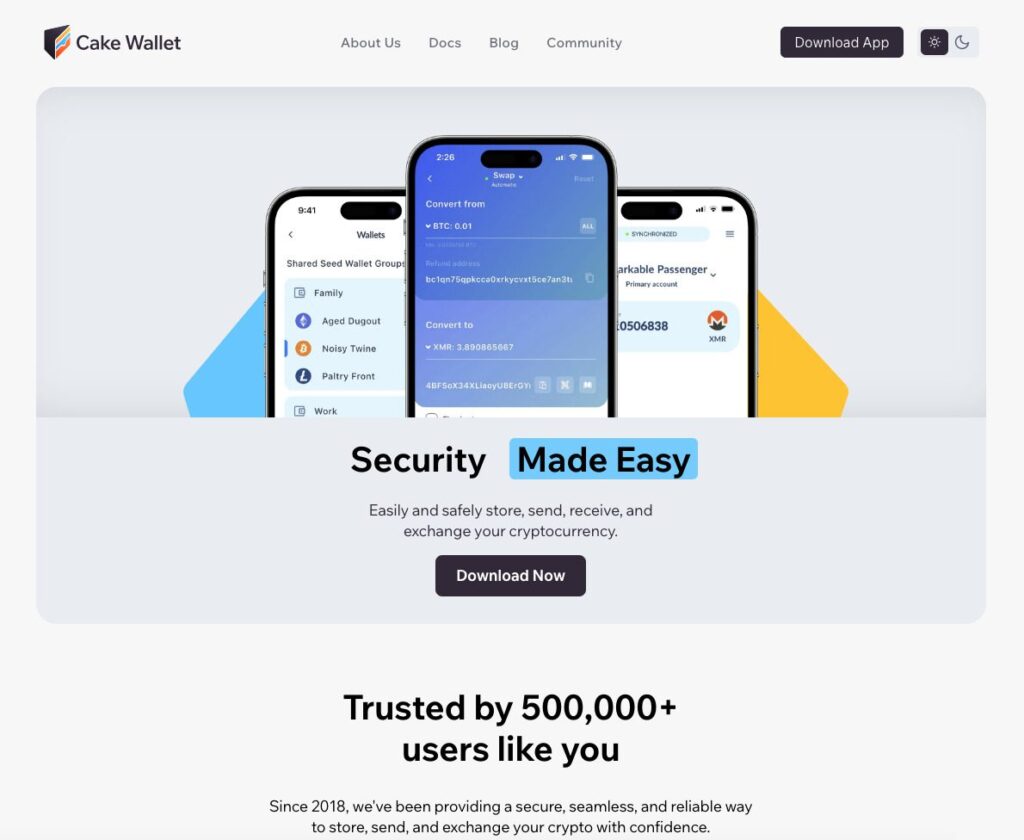
Features: Cake Wallet is fully open-source — the source code is open, and the community can verify its security. The wallet is non-custodial: at any time, you own your private keys (the 24-word seed phrase). For Monero, the wallet supports advanced privacy features — for example, you can connect via TOR, hide your balance, use Payment IDs, and more. It includes a built-in exchange: you can directly swap XMR for BTC or LTC (and back) inside the app through integration with exchange services, without withdrawing to an exchange. This is especially valuable for preserving anonymity — you can, in effect, sell Monero for bitcoin without revealing your personal data to an exchange. Cake also lets you add multiple wallets for different currencies and switch between them, with access protected by a PIN code and biometrics on your phone. In 2023, the wallet added support for Ledger hardware devices — now you can connect a Ledger Nano and manage coins through the Cake interfacefile-2tuqomtm6egyzcpfk4ncik. Thus, advanced users can achieve maximum security by combining cold storage with the convenience of a mobile app.
Pros: The main advantage is privacy. Cake Wallet was developed by Monero enthusiasts, and Monero is considered one of the most anonymous cryptocurrencies. The wallet does not collect personal data and does not require registration. It is suitable for those who place privacy above everything else. At the same time, the interface is quite simple: sending and receiving Monero or BTC takes just two or three taps, and there is an address book and clear prompts. For beginners who need Monero, Cake has almost no alternatives — it is the most user-friendly XMR wallet on mobile. Security is at a high level: there have been no wallet hacks over the years. On Reddit, the Monero community considers Cake reliable and recommends it. The built-in exchange feature is also noted as a major plus: “you don’t need to expose your XMR on an exchange to convert it.” The wallet is free, with no hidden fees (except those charged by exchange partners).
Cons: Narrow specialization — although Cake now supports many currencies, at heart it is still a wallet for Monero and privacy advocates. If you need maximum multi-currency support and all the latest DeFi networks, Cake may not be the right fit (Trust or Exodus are better options). The number of supported coins is measured in dozens, not hundreds. Some users note that synchronization speed with Monero nodes leaves much to be desired on poor internet connections (Monero wallets are generally demanding in terms of connectivity). The app interface is in English (as of 2025, Russian localization may not be available), which is inconvenient for some users. There is also no web version or browser extension — only mobile and desktop apps. It is also worth noting the lack of additional services such as buying crypto with fiat — Cake is focused specifically on storage and exchange.
Who is it for: Cake Wallet is ideal for privacy enthusiasts, especially those who frequently use Monero. If your goal is maximum anonymity and you actively use XMR (or want to store BTC more privately by converting through XMR), Cake Wallet is an excellent choice. For everyday Monero transactions on a smartphone, this wallet is practically No. 1. It will also appeal to users who want several top cryptocurrencies at hand with an emphasis on security. Cake Wallet has a strong reputation among crypto enthusiasts: the project has existed since 2018, has more than 500,000 downloads, and continues to evolve. Overall, if you need a reliable open-source wallet with exchange functionality and privacy, it is worth trying Cake.
Exodus — a convenient multi-wallet with support for 300+ cryptocurrencies
Exodus is a popular desktop and mobile wallet known for its simple interface and wide range of supported cryptocurrencies. Launched in 2016, Exodus has built a large user base over the years, especially among those who want to manage different coins in a single app. It supports more than 300 crypto assets, including Bitcoin, Ethereum, Litecoin, Dogecoin, Dash, Solana, Binance Coin, Polygon, and many others. Exodus is available on Windows, macOS, and Linux, has mobile apps for iOS and Android, and also offers a browser extension (Exodus Web3 Wallet) for working with DeFi. In addition, Exodus can work together with the Trezor hardware wallet — through its interface, you can manage funds stored on Trezor, which is very convenient for owners of “cold” devices.
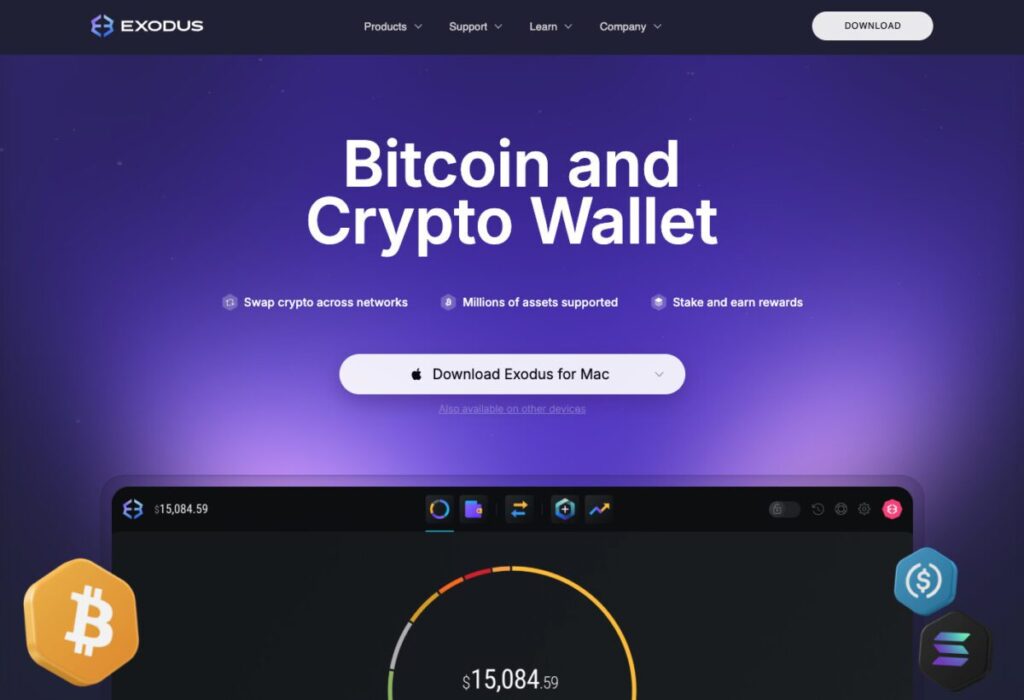
Features: Exodus – a non-custodial wallet; private keys are encrypted and stored locally on your device. The wallet is not fully open-source – the core source code is closed, and only some components are open. According to the developers, this is done to prevent code copying and protect against phishing clones. Despite the closed code, Exodus has earned users’ trust thanks to years of flawless performance. Exodus has a very intuitive interface: it includes portfolio charts, price tracking, and balances displayed immediately in fiat equivalent. The built-in exchange allows you to convert one cryptocurrency into another in a couple of clicks (through partners such as ChangeNOW and Shapeshift). NFT support on Ethereum and Solana is also implemented – you can view your collectible tokens. Exodus also offers opportunities for passive income: in the wallet, you can stake more than 7 popular coins (ADA, SOL, ATOM, XTZ, ALGO, etc.), delegating them directly through the interface and earning rewards. In 2021, Exodus even issued its own shares in tokenized form and received SEC approval for the sale – a nearly unique case that added publicity and trust to the project.
Pros:
- Wide coin support. 300+ cryptocurrencies — one of the highest figures among non-custodial wallets. Exodus covers virtually all major needs: Bitcoin and dozens of its forks, Ethereum and thousands of ERC-20 tokens, popular altcoins (XRP, ADA, SOL, DOT, etc.). Through integration with Trezor, you can even store assets that are not supported natively.
- Best-in-class UX/UI. Exodus is often called the most beautiful crypto wallet. Its design is easy on the eye, with customization options (dark/light theme, background) and animations when sending. For beginners, there are simple explanations and tips; for traders, built-in price and portfolio charts. Many choose Exodus specifically for its convenience and visual appeal — few wallets can match it in terms of UX.
- Desktop + mobile + hardware. Exodus lets you sync your portfolio between your computer and phone (link the apps using a QR code). It also integrates with the Trezor hardware wallet: through the Exodus interface, you can securely work with cold storage without leaving the app. This combines the flexibility of a hot wallet with the security of cold storage.
Cons:
- Closed-source code. This is the main point of criticism from part of the community. You have to trust the developers when it comes to security implementation. No problems have arisen over 9 years, however the principle of “Don’t trust, verify” is not fully observed here.
- Swapping inside the wallet is not the most profitable option. The convenience of the built-in swap comes at the cost of a wider spread. You have to sacrifice part of the favorable exchange rate for privacy and speed. For larger volumes, it is better to use an exchange — Exodus is more for quick swaps of small amounts.
- There are no additional security mechanisms. For example, you cannot set up 2FA or multisignature for transactions — the wallet is designed for a single user who relies on device security. If an attacker gains access to your computer/smartphone, they will be able to withdraw funds (if there is no wallet password or after cracking a short password). Therefore, it is strongly recommended to set a strong password for Exodus itself and encrypt the disk storage. Fortunately, you can connect a Trezor — this solves the security problem, but requires purchasing the device.
Overall: Exodus is an excellent choice for those who value convenience and want to hold a diverse portfolio without extra complexity. Beginners like it for its simplicity and support for almost any coin in the top 100. Experienced users also often keep part of their funds in Exodus for quick access and swaps. Exodus has a good reputation: the wallet is rated ~4.2 out of 5 on Trustpilot, and users highlight “the best interface and simplicity, all coins in one place”. Some tech-savvy enthusiasts switch to open-source alternatives, but most agree that Exodus is one of the best multi-currency wallets if you value comfort and are willing to trust its development team.
Guarda – a multi-platform wallet with staking features
Guarda Wallet is another popular non-custodial wallet that supports multiple blockchains. Its standout feature is availability on almost all platforms: there is a web version (via browser), desktop apps (Windows, Mac, Linux), mobile apps (iOS, Android), and even a browser extension for Chrome. Guarda appeared in 2017 and quickly gained recognition as a convenient multi-wallet with additional services. In terms of functionality, Guarda is in many ways similar to Exodus or Trust Wallet, but it stands out with some unique features.
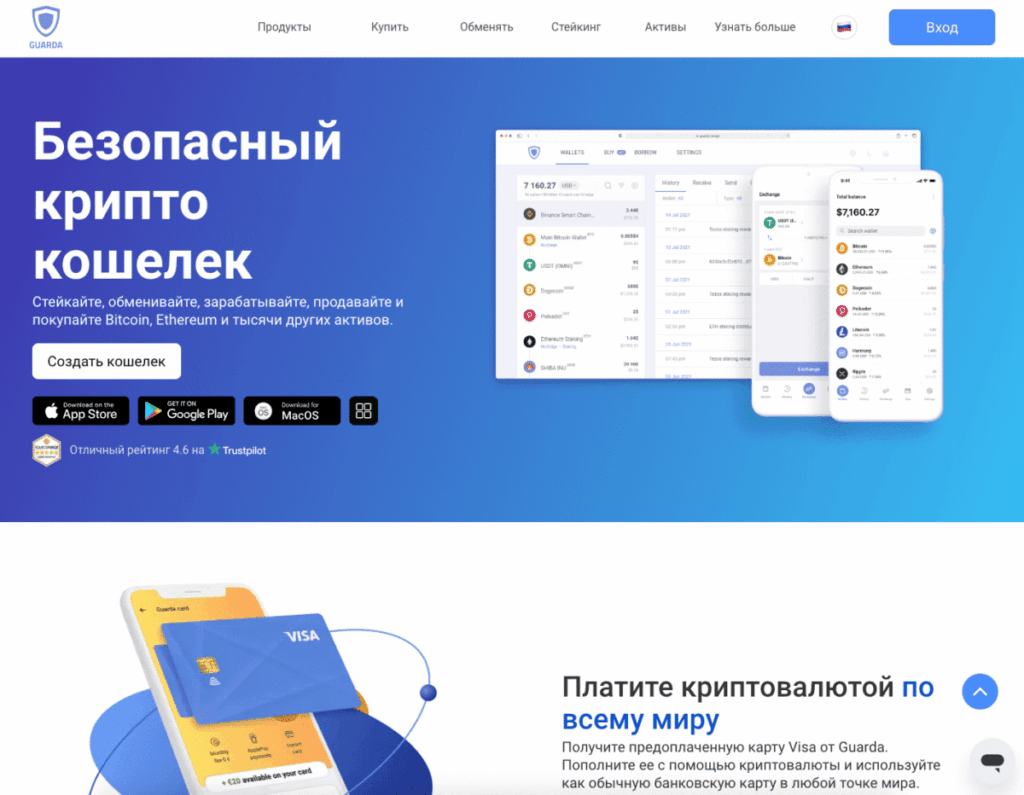
Supported currencies: Guarda supports 48 major blockchains and all derivative tokens of these networks (ERC-20 on Ethereum, BEP-20 on BNB Chain, etc.)file-2tuqomtm6egyzcpfk4ncik. In practice, almost any popular digital asset can be stored in Guarda. For example, Bitcoin, Ethereum, Ripple (XRP), Cardano (ADA), Dogecoin, Polygon, Polkadot, Tron, Solana, Monero, and others — all of these are available out of the boxfile-2tuqomtm6egyzcpfk4ncik. Moreover, through the contract addition feature, the user can manually connect any ERC-20 or BEP-20 token if it does not appear automatically. Thus, the actual number of supported coins runs into the thousands. This makes Guarda one of the most versatile wallets in terms of asset coverage.
Features: Guarda is not just a wallet, but a full-fledged platform. Inside the app there is an exchange (through partners, on a similar principle to Exodus), the ability to buy cryptocurrency with fiat (with a bank card, through the Simplex and MoonPay partners), built-in staking for around 15 coins (ETH 2.0, ADA, DOT, ATOM, XTZ, etc. can be delegated directly in the wallet)file-2tuqomtm6egyzcpfk4ncik, and even a feature for issuing your own tokens (you can create your own ERC-20 token directly in the interface). In addition, additional services are available, such as buying blockchain domains (Unstoppable Domains), participating in a referral program with the GRD loyalty token, and more. Despite its rich feature set, Guarda remains non-custodial – all keys are stored by the user. For convenience, there is an option for an encrypted cloud backup: you can save a wallet backup (a file with encrypted keys) on Guarda’s server or in your own Google Drive, protecting it with a password. This is an option in case you need to quickly restore the wallet on another device. Guarda’s interface is fairly minimalist, without frills – it has less graphics than Exodus, but everything you need is visible at a glance. Performance is fast, and the app is not overloaded.
Pros: The biggest advantage is coverage and functionality. Guarda is a good fit for users who hold many different coins across different networks: you can store Bitcoin, Ether with tokens, and even Zcash or Monero here (a rarity for multi-wallets). There’s no need to switch between a bunch of apps. Another plus, if you want to stake crypto, Guarda offers a convenient interface for that — no need to go to exchanges or a validator console. Another advantage is multi-platform support. For example, you can install the Guarda extension and connect to DeFi protocols directly in your browser, just like with MetaMask, while keeping your main funds in the desktop app. The flexibility is very high. Security is solid: over more than 6 years, no major incidents involving the wallet have been recorded. The wallet’s code is partially open (the mobile apps are closed-source, while the web wallet is open on GitHub), but the community generally trusts Guarda. On Trustpilot, the wallet has a rating of ~4.6/5 — users are satisfied.
Cons: Despite all its advantages, Guarda’s interface is less “festive” than Exodus’s. Some find it overly utilitarian. That is a matter of taste, however. Another nuance: swaps and purchases inside the wallet go through third-party services, and their fees can be higher than market rates. For example, buying bitcoin for rubles via Guarda can cost 3–5% more than on an exchange (the price of convenience). In addition, setting up the cloud key backup carries a small risk: although the file is encrypted, storing sensitive data on someone else’s server is always a potential vulnerability. Those who do not use this feature must make sure not to lose their seed phrase. The lack of its own nodes or full control over the exchange providers is the price of the user-friendly approach. For Guarda’s target audience, however, these drawbacks are not critical.
Conclusion on Guarda: This is an excellent choice for users with a multi-currency portfolio who need a reliable wallet across all devices at once. Guarda combines features that are usually separate: a mobile wallet, desktop, web version, and a staking tool. In essence, it covers all the basic needs of the average crypto investor. The wallet has a good reputation, support responds promptly, and updates are released regularly. If a fully open-source codebase is not essential to you, Guarda can become your all-purpose everyday crypto wallet.
Binance (exchange wallet) is the most popular custodial option
Not everyone stores cryptocurrency in personal wallets — many users, especially beginners, start by keeping it on an exchange. Binance is the world’s largest cryptocurrency exchange, and for many people its account becomes their first “wallet.” Although an exchange account is not technically a full-fledged wallet (the user does not control the private keys), in practice a huge number of people keep their bitcoins and ethers on Binance. The strength of this approach is its simplicity: there is no need to understand technical details or worry about losing the seed phrase; it is enough to create an account with a password.
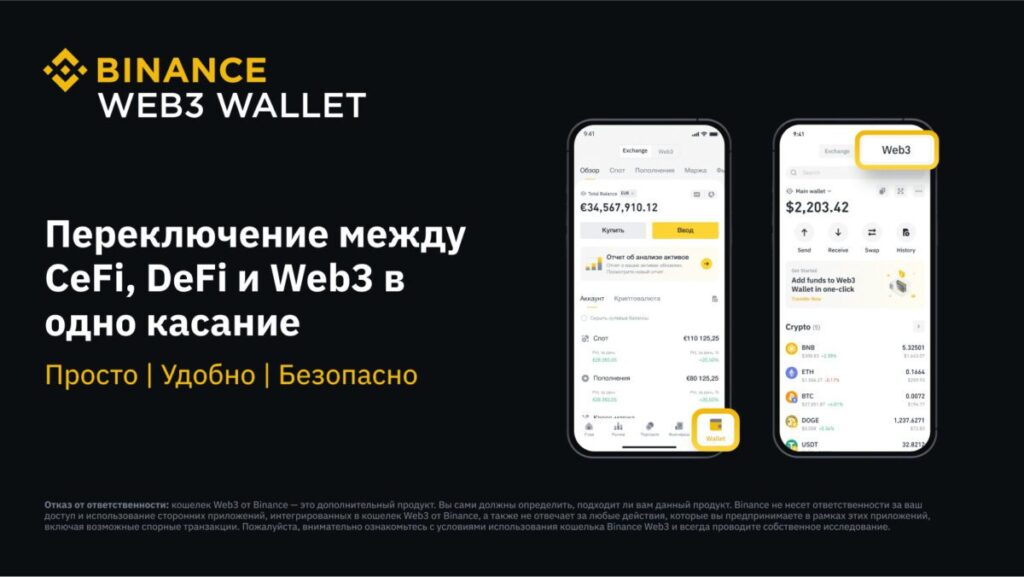
Binance storage features: Your funds are under the management of Binance. This is custodial storage, similar to a bank account. Binance pools customer deposits and stores them in its hot and cold wallets. At the same time, the exchange provides security: two-factor authentication is enabled, email/SMS confirmations are required for withdrawals, IP address controls are in place, and so on. At any time, you can withdraw cryptocurrency from Binance to an external wallet, but while it is on the exchange, you are entrusting it to Binance. The advantage is that it is very convenient to manage assets within the exchange: you can instantly swap, trade on the market, participate in launchpads, staking, and other services (Earn, deposit programs). Also, fees for deposits/withdrawals are often lower than blockchain transactions (for example, transfers between users within Binance are completely free).
Security: Binance is a tempting target for hackers. The company invests huge sums in cybersecurity, but attacks still happen. The most well-known case was the May 2019 hack: about 7,000 BTC were stolen from the exchange’s hot walletsfile-2tuqomtm6egyzcpfk4ncik. Binance covered the losses from its SAFU insurance fund, clients lost nothing, but the incident itself showed the vulnerability of hot wallets. After that, security measures were strengthened, and no similar incidents have occurred. However, user accounts can be compromised (more often due to the users themselves through phishing or password leaks). That is why Binance always reminds users to enable 2FA, set an anti-phishing code for emails, and keep their computers clean. In 2022, the exchange faced global regulatory pressure, but continued to operate client funds securely, keeping most reserves in cold wallets. Experts agree that Binance is one of the most reliable centralized platforms, but urge users not to forget the risks of custodial storage. Security rules often say: “Keep on the exchange only the amount you actively use. The rest — in a personal wallet.” This is a sensible approach that reduces risks.
Advantages of storing on Binance: Maximum convenience for trading. You can react instantly to market movements without worrying about blockchain transaction confirmation times. All funds are in one place, accessible from any device via the app or web. There is password protection and 2FA — for many, that is enough. Binance also has a reputation for reliability: it has been operating since 2017 and serves more than 120 million users. Reviews vary: some write, “I’ve never had any problems, I withdraw any amount, support responds,” while others complain about account freezes due to KYC (if they have not verified their identity). But overall, Binance resolves issues promptly and restores access to legitimate owners.
Disadvantages of Binance as a wallet: You do not control your own keys — this is the main drawback from the perspective of cryptocurrency ideology. There is a risk, however small, that the exchange could be hacked or shut down for external reasons, and you could lose your funds. Also, part of the community is fundamentally opposed to centralization. In addition, Binance requires verification (KYC) for full use — which means your anonymity disappears. When withdrawing funds, the exchange fee may be higher than a direct one (they charge a fixed fee). And relying on a third party is always a risk, even if that party is very reliable.
Conclusion: Many active traders and investors in 2025 continue to keep significant amounts on Binance because of its convenience. Binance as a “wallet” is suitable for those who trade frequently or do not want to deal with the technical details of storage. For large long-term holdings, it is better to move part of it to a cold wallet. But when it comes to custodial solutions, Binance is practically unmatched in its combination of security, liquidity, and functionality. It is no coincidence that it is called a “Crypto Bank.” The main thing is to follow basic security hygiene (a strong password, 2FA, link verification) and not keep more than you are prepared to risk on an exchange. Overall, for beginners starting small, Binance is an excellent starting option, where you can both buy cryptocurrency with fiat and safely hold it while you learn how to use non-custodial wallets.
Ledger – a leading hardware wallet for cold storage
Ledger is a French company that produces some of the most popular hardware wallets for cryptocurrencies. Its flagship model, Ledger Nano X, has repeatedly been recognized as the best cold wallet for securely storing crypto assets. Hardware wallets are separate physical devices (similar to a USB stick) that store your private keys offline and sign transactions internally. As a result, even if connected to an infected computer, the keys will not be compromised. Ledger offers several models: Nano S Plus (budget-friendly, around $79) and Nano X (with Bluetooth and expanded memory, around $149). Both provide a high level of security.
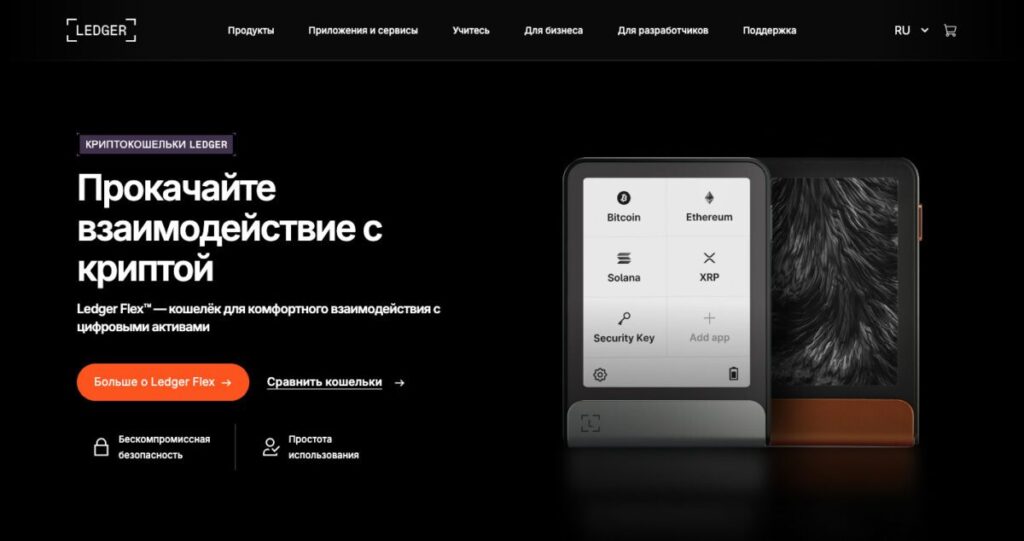
Security: Ledger devices are built around a hardware Secure Element chip, which is protected against hacking attempts and data extraction. Unlike open microcontrollers (as in some other wallets), the Secure Element is certified to banking security standards. This means that even with physical access to your Ledger, it is extremely difficult (practically impossible without specialized equipment) for an attacker to extract the seed phrase from it, if you have a PIN set. After 3 incorrect PIN entries, the device wipes itself for protection. Ledger regularly undergoes third-party audits and has its own hacking lab (Donjon), where specialists look for vulnerabilities. Over the years of use, there have been no cases of anyone remotely hacking Ledger. The only vulnerability is physical access and highly complex attacks such as injecting malicious code during chip manufacturing, but no such cases are known. The main thing a Ledger owner should remember is: never enter the seed phrase anywhere except on the device itself (when restoring on another Ledger). There are not many Ledger counterfeits on the market, but it is better to buy from official sources.
Incidents: Despite its impeccable technical reputation, Ledger suffered a reputational blow in 2020, when hackers managed to breach the company’s online store database. E-mail addresses and addresses of ~272,000 customers were leakedcoindesk.com. Many users began receiving threatening emails and even fake hardware wallets by mail from scammerscoindesk.com. Although the funds were safe, the privacy of owners was compromised. Ledger apologized and improved its data protection measures, but the aftertaste remained. The second controversial moment was the launch of the Ledger Recover service in 2023. The company announced an optional seed phrase backup feature that splits it into parts and encrypts them with three parties. The community reacted negatively: many were outraged by the very fact that the seed phrase could leave the device (albeit in encrypted form). Discussions began about a potential “backdoor.” Ledger representatives explained that there are no hidden access points – the service works only with the user’s consent, and technically Ledger cannot send your keys without your permissioncointelegraph.comcointelegraph.com. However, the aftertaste remained again, and some users switched to alternatives. Ledger took the criticism into account and made the firmware project more open, but trust was somewhat affected. Nevertheless, the vast majority of Ledger owners continue to use it, understanding that with optional use of Recover, security is not reduced.
Functionality: Ledger hardware wallets work together with the Ledger Live app (available on desktop and mobile devices). Through Ledger Live, you can manage your portfolio: send and receive funds, install apps for different blockchains (Ledger supports more than 100+ different chains and thousands of tokens). In practice, one Ledger replaces dozens of separate wallets — you can hold BTC, ETH, XRP, and many other assets on it at the same time. Ledger Live also includes built-in services: buying crypto, swapping (Swap), and staking some coins (you delegate directly from the device). For advanced users, Ledger can be used together with MetaMask, Trust Wallet, and other apps — the device will confirm transactions. This makes it possible, for example, to participate safely in DeFi: MetaMask connects to websites, while all valuable operations are confirmed on the Ledger, preventing key theft.
Ease of use: Here, Ledger is a bit less convenient than software wallets — after all, it is a separate device that needs to be connected. The Ledger Nano X has Bluetooth, so it can be connected to a phone wirelessly, which is convenient. But entering the PIN and confirming transactions with buttons on a small screen is slower than tapping in an app. Still, Ledger takes UX very seriously: the initial setup comes with detailed instructions, and the Ledger Live interface is user-friendly. Many note that they expected it to be much more complicated, but in the end they set up and understood Ledger in 10-15 minutes. So it would be wrong to talk about serious usability issues — you just need a little more time for operations. In return, you get peace of mind about the safety of large sums.
Conclusion: Ledger is the undisputed leader in the hardware wallet market, with a share of more than 70%. It is chosen by both everyday crypto holders and institutional investors. If you have accumulated a substantial amount that you plan to store for a long time, Ledger Nano is one of the best options for ensuring security. The company’s reputation has been affected by a couple of scandals, but there is no doubt about the technical reliability of its devices. Security experts and analysts still recommend Ledger as the industry standard. The main thing is to buy from official sellers and carefully follow the instructions. Ledger fits perfectly into the “hot + cold wallet” setup: you can actively trade a small portion of your funds on MetaMask or Binance, while keeping the main share offline on Ledger, virtually eliminating the risk of loss. In 2025, Ledger remains the number one solution for cold storage of cryptocurrencies.
Trezor – the first hardware wallet (open-source security)
Trezor is a legendary hardware wallet developed by the Czech company SatoshiLabs. It is the world’s first commercial crypto wallet: the Trezor One model was released back in 2014. Trezor, like Ledger, provides cold storage of private keys on a separate device. Today, the lineup includes Trezor One (the base model at ~$69) and Trezor Model T (the premium model with a screen at ~$219). Trezor’s main distinction is its philosophy of full code transparency and operating principles. The firmware and device schematics are open, allowing the community to independently verify security.
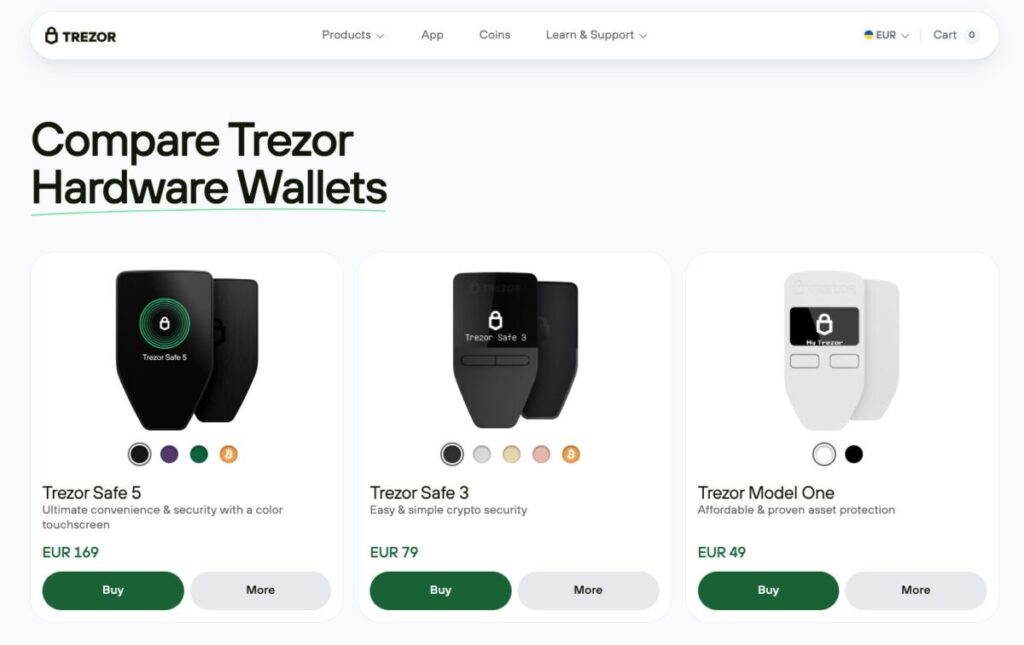
Security: Trezor does not use closed secure element chips; instead, it relies on an open microcontroller and software-based protection methods. Private keys still never leave the device, but there is a theoretical possibility of extracting them with physical access through hardware attacks. In 2020, the Kraken Security Labs team demonstrated an attack on Trezor using equipment: with $100-200 worth of hardware and 15 minutes, it is possible to read the encrypted seed from the chip and then brute-force the PIN. However, there are countermeasures against this – the passphrase feature. This is an additional password phrase for the seed that is not stored on the device. If it is set, even if the microcontroller is compromised, an attacker will not gain access to the wallet. Trezor recommends that users with large amounts always enable a passphrasefile-2tuqomtm6egyzcpfk4ncik. Many do so, and then Trezor becomes as secure as Ledger (though slightly less convenient – you have to enter the passphrase every time you connect it).
Fortunately, it is impossible to hack Trezor remotely or over the internet if you do not disclose the seed. Throughout its history, there have been no successful malware attacks specifically against the device itself — only against the computer+wallet combination (malware could replace the transaction destination address on the computer, but if the user did not check it on the Trezor screen and confirmed it, that was their mistake). SatoshiLabs promptly responds to discovered vulnerabilities and updates the firmware.
Incidents: In April 2022, Trezor made the news because of an email phishing attack. The MailChimp mailing service the company used was compromised, and attackers obtained a list of Trezor customers’ email addresses. They sent out an email about a “critical update” that led to a fake Trezor website. Some users downloaded the fake app and entered their seed there, losing their funds. Trezor quickly warned about the attack and shut down the mailing. The case showed that even a hardware wallet cannot guarantee protection if the owner enters the recovery phrase on a phishing site. That is why SatoshiLabs keeps reminding users: the seed phrase may only be entered on the Trezor device itself. There have been no further data leaks since then, and the company moved to its own mailing infrastructure.
Functions and coin support: Trezor supports a wide range of cryptocurrencies — by various estimates, more than 1,000 tokens (including all ERC-20 and BEP-20 tokens). However, some coins (for example, XRP and Cardano) are supported only on Model T; Model One has limited memory and lacks a screen for such integrations. To work with the wallet, the Trezor Suite app is used on a PC (or via a web interface in the browser). Suite is quite convenient: you can manage BTC, ETH, and others, and it even includes built-in trading through exchanges (Swap), fiat purchases, and charts. But Trezor implements some functions (DeFi, NFT) through external wallets: for example, to interact with Ethereum DApps, you can connect Trezor via MetaMask (Ledger does something similar). Trezor Suite, being open-source, is actively developed, but as of 2025 it is still rather basic — advanced users may need to use third-party software (Electrum for BTC with CoinJoin, MetaMask for DeFi, etc.).
Convenience: The Trezor Model T has a touchscreen, which makes entering the PIN, passphrase, and confirming addresses much easier — a convenience advantage over Ledger (which has two buttons and a small screen). The One model has no screen (only a tiny 2-line OLED), and control is done with buttons — entering a passphrase on it is inconvenient, so you have to do it through a computer, which reduces security. Overall, setting up Trezor is simple, especially since Suite helps step by step. However, out of the box it is not as “polished” as Ledger Live: the design is more utilitarian. On the other hand, everything is transparent — you can even compile the firmware from source yourself if you know how. From the perspective of an ordinary user, there is little difference between using Ledger or Trezor: both perform the same task. Some prefer Trezor for its philosophy, others Ledger for the chip — it comes down to taste.
Reputation and reviews: Trezor has long been a favorite in the Bitcoin community. Many value it for its principles (open-source, no telemetry, and no built-in marketplaces). Technical users often choose the Trezor Model T as their main wallet. At the same time, Ledger has sold in much larger numbers thanks to marketing, so Trezor is less well known among beginners. But those who use it write in reviews: “Trezor is like a Kalashnikov: simple, reliable, and without unnecessary bells and whistles.” The likelihood of a technical failure is extremely low, and if anything does happen, the community will quickly find it and help fix it, since the code is open.
Conclusion: Trezor remains one of the most reliable ways to store cryptocurrency. It is ideal for paranoids, developers, and Bitcoin enthusiasts who want maximum control (you can even load your own firmware if you wish). For ordinary investors, the Trezor Model T is also an excellent choice — in terms of functionality, it is no worse than Ledger, and in some areas even better. If your budget is limited, the Trezor One is still relevant for storing major coins (BTC, ETH, LTC, etc.). Hardware wallets in general are a must-have for anyone holding cryptocurrency in significant amounts. And the choice between Ledger and Trezor often comes down to personal preferences regarding open-source code and trust in the manufacturer. In any case, Trezor has earned trust over time — more than 9 years on the market, zero devices hacked remotely. That is worth a lot.
Crypto.com DeFi Wallet – non-custodial wallet from Crypto․com
To balance the list of custodial and non-custodial solutions, let’s take a look at Crypto.com DeFi Wallet. It is often included in top lists, noted for combining ease of use for beginners with access to decentralized features. Crypto.com is a major Singapore-based cryptocurrency exchange and fintech company (a name widely recognized thanks to sports sponsorships). In addition to the centralized exchange app, they have released a separate DeFi Wallet that works like a regular non-custodial wallet. This app (and browser extension) allows users to store cryptocurrency while fully controlling their keys, yet still remaining within the Crypto.com ecosystem.
Features: Crypto.com DeFi Wallet supports major blockchains (BTC, ETH, BNB Chain, Polygon, Avalanche, Cronos — Crypto.com’s own blockchain — and others). You can store, send, and receive coins in it, just like in other wallets. The main difference is deep integration with Crypto.com services. For example, the wallet easily connects to your Crypto.com exchange account: you can transfer assets from the exchange to the wallet and back with one click. DeFi Wallet also provides access to a wide range of DeFi services: it includes an Earn section, where you can stake cryptocurrencies (through DeFi protocols) and earn yield, a built-in swap for exchanging tokens on decentralized exchanges, support for connecting to DApps (via WalletConnect), and even an Ethereum Gas Meter (to track network congestion and fees). In short, Crypto.com has tried to create a universal app for interacting with DeFi that is friendly to inexperienced users.
Security: The wallet is non-custodial — a 12-word seed phrase is generated at creation and stored only by the user. By default, the wallet offers (optionally) encrypting the seed phrase and saving a backup to iCloud/Google Drive — like Coinbase Wallet, this is up to the user. The wallet code is proprietary, but it is based on popular libraries. There have been no known incidents of the DeFi Wallet itself being hacked. However, it is worth understanding that when connecting to DeFi smart contracts, the wallet may be vulnerable to phishing DApps (this risk exists with all such wallets). Crypto.com has introduced the Wallet Extension feature — a kind of “firewall” that warns about suspicious smart contracts (Zengo has a similar feature). Overall, the company pays close attention to security: after the Crypto.com exchange itself was hacked in early 2022 (about $30 million was stolen from custodial wallets, and it was also reimbursed), they strengthened all products. Users can set an app password, enable biometric login, and verify the recovery phrase.
Pros: It stands out for its simplicity — the interface is similar to the main Crypto.com app, so anyone who has used it will understand it right away. It’s convenient that all DeFi features are at hand: there’s no need to manually connect each liquidity pool — you can go to the Earn section and see which protocols are available (for example, stake ATOM at 20% APY in just a couple of taps). NFT support is also implemented (Ethereum, Cronos). For those who are already Crypto.com customers, this wallet is a must-have, since transfers between the exchange and the DeFi Wallet are instant and fee-free. Anonymity: if you use the wallet separately, KYC is not required (you can download it and create it without registration). Thus, you get some of the exchange’s advantages (convenience) without the downsides of custodial storage. Many reviews call Crypto.com DeFi Wallet “the best choice for those who want to get into DeFi gradually.” Crypto.com’s reputation as a company is fairly high (despite the hack, they compensated everything and passed a Proof of Reserves audit).
Cons: Still, the Crypto.com Wallet audience is limited to the Crypto.com ecosystem. If you do not use their exchange or card, you may be better off with universal wallets like Trust/MetaMask. Some people may also not want to deal with a product from a centralized company, fearing surveillance or hidden vulnerabilities. However, there are no obvious reasons for such concerns: the wallet’s code is closed-source, so it loses out to open-source competitors here. In terms of the range of supported coins, there are dozens, but not hundreds: for example, it does not support Cardano, XRP, and some top-20 coins (apparently they will be added in the future, but not yet). This is stated directly in the app’s FAQ. So for an ultimate multi-wallet, Crypto.com DeFi is not yet suitable. Another nuance is that some features (such as Earn) charge a small platform fee (around 0.05% of rewards) — not much, but it is there.
Who is it for: Crypto.com DeFi Wallet is a great fit for Crypto.com exchange users, as well as those who want an easy entry into the world of DeFi. It combines features of custodial and non-custodial solutions: yours, but with support and guidance. Beginners will appreciate the built-in tutorials and FAQ, as well as simple terms like “Earn” instead of complex jargon. Active traders can use it to store part of their assets off-exchange without losing connectivity to it. However, those looking for a completely independent wallet may be better off considering other options on our list. In 2025, Crypto.com DeFi Wallet confidently holds a place in the top 10, especially on the “for DeFi beginners” metric.
Results and recommendations: which cryptocurrency wallet should you choose?
As you can see, there is no perfect wallet for every situation — each one has its own specialization. The choice of the best option depends on your goals, experience, and priorities:
- For long-term storage of large amounts (HODL): A hardware wallet is definitely the way to go. If you plan to hold bitcoin, ether, and other top assets for months and years, the best solution will be a Ledger Nano X or Trezor Model T. They will provide maximum security — your funds will be offline, out of reach of hackers. Hardware wallets are recommended by both experts and the community, especially in 2025, when cyber risks are high. Yes, they are a little less convenient to use, but for savings, it is worth it. Tip: keep the main part of your capital in a cold wallet, and for everyday transactions keep a small amount in a hot wallet.
- For active trading and frequent transactions: If you make trades every day and take part in trading – an exchange wallet is often more convenient. Binance is unmatched here in terms of liquidity and low fees. You can keep on the exchange exactly as much as you need for trading, using all its advantages. However, do not get carried away with keeping everything on the exchange – remember the risk. A good practice is to regularly withdraw profits or excess funds to your own non-custodial wallet. Hot wallets with built-in swap functionality (Exodus, Guarda) are also suitable for quick exchanges without logging into an exchange, although their fees are higher.
- For diving into DeFi and Web3: If you want to use dApps, farm on Uniswap, or buy NFTs, you need a non-custodial Web3 wallet. The best choice here is MetaMask — it is the standard for the Ethereum network and compatible blockchains. It supports all DeFi protocols and gives you full control and flexibility. If MetaMask seems complicated, an alternative could be Coinbase Wallet — a bit more user-friendly, with support for the same dApps. Users of the Binance ecosystem may prefer Trust Wallet, especially for BNB Chain and mobile dApps. And those who use Crypto.com or want built-in DeFi features right away should take a look at Crypto.com DeFi Wallet — it combines many functions under one roof.
- For NFT and crypto games: Here, it matters which blockchain your NFTs are on. For Ethereum and Polygon NFTs, MetaMask or Coinbase Wallet are a great fit — they have built-in sections for collectible tokens. For Solana NFTs, Phantom is the best choice (we did not include it in the overall top 10 because it focuses on a single network, but in its segment it is the best wallet for Solana). Phantom is easy to use, supports Solana dApps, and even promises support for Bitcoin ordinals. So Solana fans may want to install Phantom as an additional wallet. In general, choose a wallet that supports the specific network where you interact with NFTs/games.
- For a multi-currency altcoin portfolio: If you have a broad collection of coins across different blockchains and want to manage everything in one place, multi-wallets are recommended. The leaders here are Trust Wallet, Exodus, and Guarda. Trust Wallet is mobile-based, with the largest number of supported networks (even rare ones). Exodus is for those who value a beautiful interface and support; it is available on both desktop and mobile. Guarda is the choice when you need a compromise: desktop, mobile, and web, plus staking. All three let you store bitcoin, ether, and smaller tokens together, offering basic extra conveniences (swap, buy, staking). The choice between them depends more on personal UI preferences and the specific coins they support (there are slight differences).
- For enhanced privacy: If privacy is your priority, pay attention to specialized wallets. Cake Wallet is a great fit for Monero and related privacy coins — it is built with a focus on transaction privacy (stealth addresses, ring signatures, TOR, etc.). For Bitcoin, it is worth considering wallets with CoinJoin functionality: for example, Wasabi or Samourai. They did not make our top 10 because they are fairly niche and more difficult to use, but for experienced users they allow transactions to be mixed and traces to be obscured. You can also use combinations: keep the bulk of your BTC in a hardware wallet, and send small amounts to Wasabi for CoinJoin. In short, for those who value anonymity, it makes sense to use separate wallets and technologies specifically for these tasks — in mass-market products like Trust or Coinbase Wallet, the emphasis on privacy is not as strong.
In conclusion, let us emphasize: security rules are the same for all wallets. Regardless of your choice, always back up your seed phrase, store it in a secure place (offline), and never show it to anyone. Use PIN codes, passwords, and encryption wherever possible. Be careful when using dApps – check website addresses and do not confirm suspicious transactions. For large amounts, use cold storage; for everyday operations, use small hot wallets. By combining solutions, you will get both convenience and maximum protection.
We hope our review has helped you get your bearings. Choose the wallet that best suits your needs, and may your crypto assets stay safe!