Honest answer: it depends on what you still have left. If the app (Trust Wallet, MetaMask) is still installed and opens, you can display and record the seed phrase again right now, and nothing is lost. If you have most of the words or are unsure of their order, the wallet can often be recovered with offline tools. But if both the seed phrase and access to the app are lost, and there is no backup, the funds are generally inaccessible forever: this is not a bug, but the essence of self-custody. And most importantly: any “recovery service without a seed” that messages you privately and asks for the phrase or an upfront payment is a scammer. Below, we will go through all the situations step by step.
- First things first: the seed phrase is your wallet
- What you have left: a breakdown by situation
- Situation 1: the app is installed and opens
- Situation 2: the app is there, but you forgot the password and don’t have the seed
- Situation 3: you have some of the words or the order is unknown
- Situation 4: there may be a backup somewhere
- Situation 5: it was an exchange, not a self-custody wallet
- Situation 6: nothing is left
- How to export the seed in MetaMask again
- How to re-export the seed in Trust Wallet
- “Recovery without a seed” is almost always a scam
- What to do right now
- How to Never Lose Access Again
- FAQ
First things first: the seed phrase is your wallet
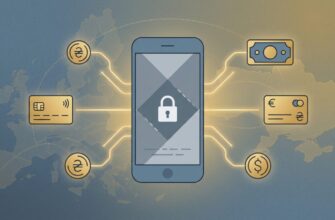
Trust Wallet, MetaMask, and similar wallets are non-custodial wallets. They do not have a server that stores your funds, and there is no “forgot password → send to email” button. The wallet itself is just a key mathematically derived from the seed phrase (also called a mnemonic or Secret Recovery Phrase). Whoever has the phrase owns the wallet. No one, including the wallet developers, can restore it for you — they simply do not store it.
It is important not to confuse two concepts:
- App password/PIN — a local code that encrypts the wallet on a specific device. It does not provide access to funds from another device.
- Seed phrase — a master key that restores the wallet anywhere.
So “recovering a wallet” almost always means one of two things: either how to access your seed phrase again, or how to import the wallet using it on a new device.
What you have left: a breakdown by situation
Find yours — from best to worst.
Situation 1: the app is installed and opens
The most common and best-case scenario. You lost the piece of paper with the phrase, but the app itself is still there and you can open it (you remember the password/PIN or it is unlocked). In that case, the seed phrase is still there — you can simply show it again and write it down. How exactly — in the MetaMask and Trust Wallet sections below. Do this immediately and store the phrase offline.

Situation 2: the app is there, but you forgot the password and don’t have the seed
This is more difficult. The password is local, and the developer will not recover it.
- MetaMask (browser extension on PC): if you remember the password or have a rough idea of what it was, there is an official tool — Vault Decryptor: you paste the browser vault data and the password into it, and it shows the seed phrase. It works only in the same browser where MetaMask was installed, and only if the data has not been deleted.
- Trust Wallet: resetting the PIN requires entering the recovery phrase. If you do not have the phrase and have forgotten access, there is no official way.
If you deleted the app/extension, the data is most likely gone (unless you have a disk backup).
Situation 3: you have some of the words or the order is unknown
This is actually recoverable. A seed phrase has a checksum (the BIP39 standard), so if you have, for example, 11 out of 12 words, or all the words but you are unsure about the order, the missing one can be found by trying possibilities. This is done offline with open-source tools (for example, btcrecover) on a device without internet access. Under no circumstances should you enter even part of the phrase on “recovery” websites — that is theft.

Situation 4: there may be a backup somewhere
Before giving up, check:
- Cloud wallet backup. MetaMask supports recovery through a linked Google/Apple/Telegram account if you enabled it. Some wallets have an encrypted backup in iCloud/Google Drive — it is unlocked with the backup password.
- Less secure but common places: password manager, notes, photos in the gallery, an email to yourself. Storing a seed there is unsafe — but if a copy is there, you are saved. After recovery, immediately transfer the funds to a new wallet.
Situation 5: it was an exchange, not a self-custody wallet
Many people confuse this. If your “wallet” is an account on an exchange (Binance, Bybit, OKX, etc.), then there is no seed phrase there, and access is restored like a regular account: via email, 2FA, identity verification, and support. This is a completely different, more “forgiving” story.
Situation 6: nothing is left
If both the seed phrase and access to the app, as well as any backup copy, are lost — unfortunately, it cannot be restored. Trust Wallet itself states this plainly: if both the phrase and the device are lost, access to the funds cannot be recovered, and the money will remain permanently inaccessible. This is an honest answer that no “miracle service” will give you.
How to export the seed in MetaMask again
If the app opens and you know the password:
- Open the settings: Settings → Security & Privacy (on mobile) or Settings → Security and password → Manage wallet recovery (extension).
- Select Reveal Secret Recovery Phrase.
- Answer the two confirmation questions about self-custody.
- Enter your password and hold Hold to reveal.
- Write the phrase down on paper. Make sure no one is nearby and there are no cameras.
How to re-export the seed in Trust Wallet
- Open Settings → Wallets.
- Tap the information icon (ⓘ) next to the wallet you need.
- Select Show Recovery Phrase and confirm access (PIN/biometrics).
- Write down the 12 words exactly and in the same order — one incorrect word will restore a completely different wallet.
“Recovery without a seed” is almost always a scam
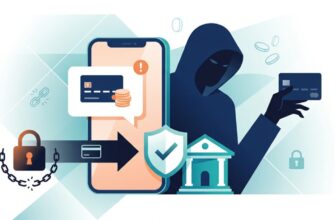
This is the most dangerous section, so read carefully. A whole industry of fraud revolves around people who have lost access. According to the FBI (IC3), in 2025 alone more than 10,500 complaints were filed about “fund recovery” schemes, totaling about $1.4 billion. How it works and how to spot it:
- No one can cancel a transaction. Confirmed operations on the blockchain are irreversible. “Blockchain reversal,” “quantum decryption,” “hack-back” — these are made-up terms.
- Visible on the blockchain ≠ recoverable. The balance at a lost address is visible to everyone, but without the key it is inaccessible to anyone.
- The “advance payment” scheme. First comes a small “success,” then endless “fees”: for “unlocking,” “blockchain tax,” “wallet synchronization.” You will never see the money.
- Red flags: they contacted you first on Telegram/WhatsApp/email; they ask for your seed phrase, private key, or remote access to your computer; they demand upfront payment in crypto; they show FBI/government “badges.” No government agency “authorizes” private firms to recover crypto.
- Main rule: no real specialist will ever ask for your seed phrase. Anyone who does is stealing the wallet.
Separately: in cases of theft (not loss), funds are sometimes tracked by licensed lawyers and blockchain forensics through freezes on exchanges and legal proceedings — but this applies to stolen assets, not to a forgotten phrase, and there are no guarantees. This does not apply to “lost seed”: there is no one to “track” here, the key is simply gone.
What to do right now
- Do not panic or translate anything in a hurry.
- Identify your situation from the list above.
- If the app opens — immediately export the seed again and save it offline.
- If you are missing words — try offline recovery with open tools.
- Check all possible backups and cloud backups.
- Ignore any offers to “get your crypto back” from private messages.
- Once you have regained access, transfer the funds to a new wallet with a new, securely stored phrase.
How to Never Lose Access Again
- Paper or metal, not a screenshot and not the cloud. Metal plates can survive fire and water.
- Two or three copies in different safe places (home, safe, with a trusted person).
- Check the backup: restore the wallet from the written phrase on a clean device while everything is still working — to make sure the words and order are correct.
- Hardware wallet (Ledger, Trezor) for large amounts.
- Never under any circumstances dictate or enter the phrase online.
FAQ
Can a crypto wallet be recovered without a seed phrase? Only if you still have access to the installed app (then the phrase can be shown again) or you have a backup/cloud backup. If you have neither the phrase, nor access, nor a copy, recovery is impossible, and anyone who promises otherwise is a scammer.
How do I recover Trust Wallet without a seed? If the app opens, go to Settings → Wallets → ⓘ → Show Recovery Phrase and write the phrase down again. If you have neither the app nor the phrase, access cannot be restored: Trust Wallet does not store your keys.
MetaMask: I lost my seed, what should I do? Open the app (you need the password) and export the phrase again via Reveal Secret Recovery Phrase. If you cannot log in, but you remember the password and used the browser extension on a PC, try Vault Decryptor. Without the password and without the phrase, the funds are inaccessible.
I can see the balance at the address, but I don’t have the key — can the money be retrieved? No. Seeing a balance does not mean having control. Without the private key or seed phrase, the funds are inaccessible, even if their balance is visible.
I paid a “recovery service,” but the money was not returned — what should I do? Stop all payments and communication, and do not send anything else. This is a classic advance-fee scam. Save the correspondence and payment details, and contact the police if necessary.